You can check your EPF account balance without visiting an office. The Employees’ Provident Fund Organisation (EPFO) offers official routes through the member passbook portal, the UMANG app, an SMS service, and a missed-call number. All of them depend on a Universal Account Number (UAN) that is activated and linked to your current mobile number.
This guide walks through those four methods with the official links and numbers published by EPFO, explains what you will see in a passbook, and flags the usual reasons a balance does not appear. Numbers and menu labels can change, so treat the EPFO and UMANG sites as the final word if something here disagrees with a later official update.
Table of Contents
Before you start: UAN, KYC, and the right portals
Every EPF member is identified by a 12-digit Universal Account Number. Your UAN stays with you if you change jobs; each employment then has a separate member ID under that UAN. The UAN is often printed on your salary slip. If you do not have it, your employer’s payroll or HR team can provide it, or you can look it up on the official member portal once you have the other details the form asks for.
Use only official websites and apps:
- EPFO’s public site: https://www.epfindia.gov.in/
- Member e-Sewa / UAN services: https://unifiedportal-mem.epfindia.gov.in/
- Member passbook login: https://passbook.epfindia.gov.in/MemberPassBook/login
- UMANG’s EPFO section: https://web.umang.gov.in/landing/department/epfo.html
Activate the UAN and complete KYC (including your Aadhaar, PAN, bank account, and mobile number) on the member portal if you have not already done so. A mobile number that is not registered against the UAN will block SMS, missed-call, and OTP-based methods. If you have changed your phone number, update it on the member portal first.
The passbook portal itself publishes a short official help line on its login page: for EPF balance enquiry, a missed call to 9966044425, or an SMS in the form EPFOHO UAN to 7738299899. It also lists the EPFO help desk / toll-free number 1800118005. Use those figures unless EPFO later prints different ones on the same page.

1. Check your EPF account balance on the passbook portal
The passbook is the most complete official view. It shows month-wise employee and employer contributions, pension contributions, interest credits, and the closing balance, and it lets you download a PDF.
A typical path is:
- Open the EPFO website and go to the member or “for employees” services, then choose Member Passbook, or go directly to the passbook login page linked above.
- Log in with your 12-digit UAN and password. This is the same UAN you use on the member e-Sewa portal. If you have never set a password, create one on the member portal first.
- Select the member ID you want to view. If you have worked for more than one establishment, you will see more than one member ID.
- Read the transactions and the total. Use the download option if you need a copy for a loan, visa, or personal record.
Some members also reach the passbook from the unified member portal after logging in, through a View or Passbook menu item that redirects to the passbook site. Either route is fine if it ends on an epfindia.gov.in page.
Newly activated UANs may not show a passbook immediately. EPFO’s own guidance, as repeated in later official explainers, is that the passbook can take a little time to appear after activation. Wait and try again before assuming the account is missing.
Do not use lookalike websites that ask for your UAN and password. Check that the address bar is a genuine epfindia.gov.in host.
2. View the passbook on the UMANG app
UMANG is the government’s unified mobile app. It includes EPFO employee-centric services, including a passbook view, so you can check the same official record on a phone.

In outline, the official flow is:
- Install UMANG from the official Apple or Google app store, or start from the UMANG web entry for EPFO linked above, and register with your mobile number as the app instructs.
- Search for EPFO and open Employee-Centric Services.
- Choose View Passbook.
- Enter your UAN and verify the one-time password sent to the registered mobile number.
- Select the relevant member ID to see contributions, interest, and the balance, and download a copy if the screen offers that option.
The app is useful when you do not have a desktop browser, or when you want a download in your hand at a bank or an appointment. It still depends on the same UAN, KYC, and registered mobile number as the website. If the OTP never arrives, fix the mobile number on the member portal rather than guessing a new PIN on the app.
3. Check the balance by SMS
If you only need the current balance and the last contribution, SMS is enough. On the official passbook login page, EPFO says to send EPFOHO UAN to 7738299899.
Use the 12-digit UAN in that message, and send it from the mobile number registered against the UAN. A typical English message looks like: EPFOHO 123456789012 (with your real UAN in place of the digits).
The service has long supported replies in several Indian languages. Older official instructions asked you to add a three-letter language code after the UAN if you wanted a language other than English — for example, HIN for Hindi. If you need a non-English reply, check the current language codes on EPFO’s site or in a recent official circular before you add extra characters, because that part of the format is easier to get wrong than the basic EPFOHO UAN message.
You should receive a text with balance and last-contribution information, not a full passbook. If nothing comes back, confirm that the number you used is the registered one, that the UAN is 12 digits, and that you sent the message to 7738299899, not to a forwarded or “helpline” number from social media.
4. Check the balance with a missed call
The same official passbook page lists a missed-call option: call 9966044425 from your registered mobile number. The call is meant to disconnect on its own. You then receive an SMS with balance details.
This is the current number printed by EPFO on the passbook login page. Older articles sometimes quoted a different Delhi landline. Do not use a number you found only on a blog, including an older version of this page, if it disagrees with epfindia.gov.in.
As with SMS, the missed-call service needs the mobile number to be seeded against the UAN, and it will not give you the full month-by-month passbook. Use the portal or UMANG when you need a document.
If the balance looks wrong, or nothing arrives
A balance can look low for ordinary reasons. Contributions appear after the employer has filed and paid them, not on the same day as your salary. Interest is credited according to EPFO’s cycle for that year, not in a live daily calculation you can watch in real time. If you recently changed jobs, you may be looking at an old member ID instead of the current one.
If a contribution is missing for several months, start with your employer and the electronic challan or payment record, then use the EPFO member portal’s complaint or claim options as the site provides them. For access problems — a locked password, a mobile number you no longer have, or a UAN that will not activate — the official help desk number on the passbook page is 1800118005. You can also visit the EPFO office that has jurisdiction over the establishment, with your UAN and identity documents, if a portal issue cannot be resolved online.
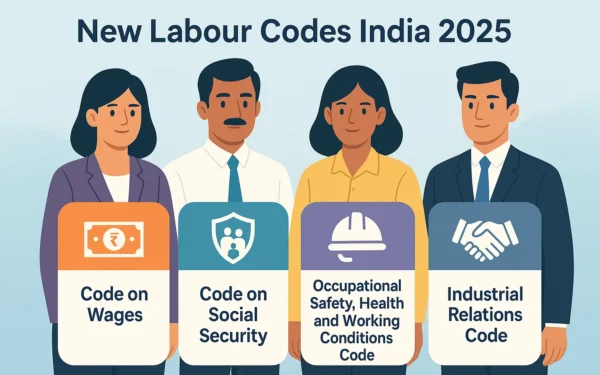
Keep your UAN, Aadhaar, PAN, and bank details consistent. Those same identifiers appear in other government records, including tax accounts. If you are updating PAN or related KYC, official tax-side changes are described separately in our note on PAN 2.0. Employment-related law is a different subject again; our explainer on the new labour codes in India is about wider workplace rules, not about reading an EPF passbook.
Never share your UAN password, OTP, or passbook PDF on a phone call that you did not place to the official help desk, and never key those details into a website that is not on an epfindia.gov.in or umang.gov.in address.
FAQ: How to check your EPF account balance
What is the official way to see the full passbook?
Log in at the EPFO member passbook portal with your UAN and password, or use View Passbook under EPFO’s employee-centric services on the UMANG app. Both show contributions, interest, and the closing balance, and both can provide a download.
What are the official SMS and missed-call details?
As printed on the official passbook login page, send EPFOHO followed by your 12-digit UAN to 7738299899, or give a missed call to 9966044425, in both cases from the mobile number registered with the UAN. Confirm those numbers on the EPFO page if you are reading this later.
Why did I not get an SMS or OTP?
The usual cause is a mobile number that is not registered against the UAN, a typing error in the 12-digit UAN, or a newly activated UAN whose passbook is not ready yet. Update KYC on the member e-Sewa portal and try again.
Can I check the balance of an old employer’s account?
Yes, if those member IDs are linked to your UAN. In the passbook, select the older member ID. If an old account was never linked, that is a separate linking or transfer task on the member portal.
Is there a helpline if I am locked out?
The passbook login page lists 1800118005 as the help desk or toll-free number. Prefer that official contact over numbers circulated on social media.
If you only need a quick balance, the official SMS or missed-call route is enough. If you need a record of contributions or interest, use the passbook portal or UMANG, and keep a downloaded copy in a place only you can access.